
Standup invites, reminders and summaries
Only a Team Admin can see and change the RECURRENCE tab, where these messages are set.
A standup series can send three messages for each scheduled day:
- Invite - tells your team the standup is open
- Reminder - nudges people who have not finished their update
- Summary - shares the updates when the standup closes
Each one can go by email, to Slack or to Microsoft Teams.
By default, a new series sends an invite by email at 9:00 am. Reminders are off. The standup closes at 5:00 pm on the day and sends a summary by email. Times use the series timezone. For the other defaults, see Recurring standups.
Setting up invites, reminders and summaries
-
On your team's STANDUPS tab, pick the series and click the SETTINGS icon (gear). You can also do this while you create a series.

-
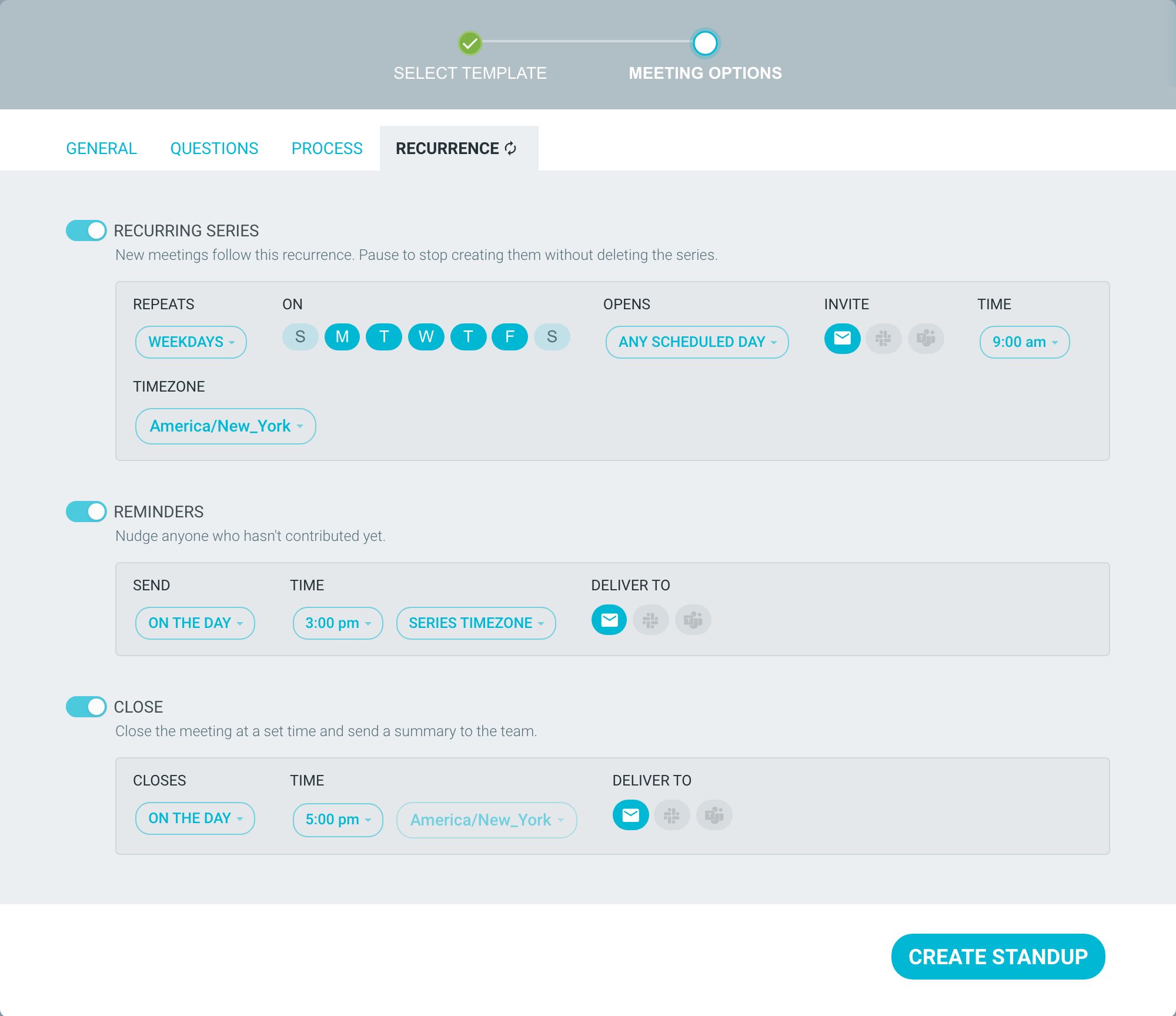
Open the RECURRENCE tab.
-
INVITE: click the EMAIL, SLACK or MICROSOFT TEAMS icons to choose where it goes, then set the TIME. With no icon selected, no invite is sent.

-
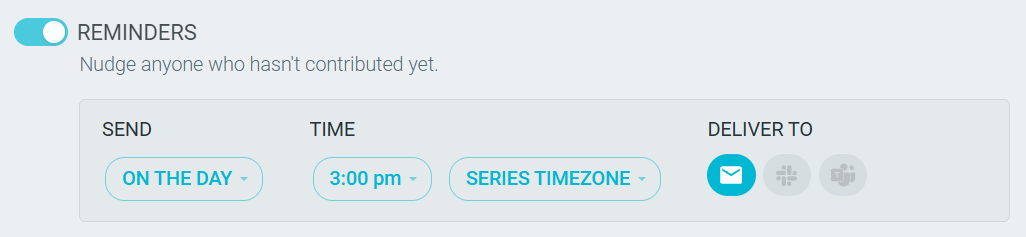
REMINDERS: toggle it on. By default, the reminder goes by email at 3:00 pm on the day. You can change SEND, TIME and DELIVER TO.
-
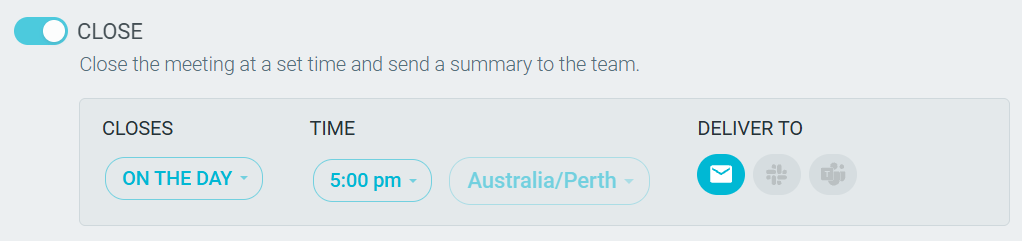
CLOSE: toggle it on to close the standup at a set time. Set CLOSES, TIME and DELIVER TO. DELIVER TO also decides where the summary goes. With CLOSE disabled, the summary still goes by email when the standup closes, if anyone posted. To stop it, each person turns off AUTOMATIC STANDUP SUMMARIES (see below).
-
Click SAVE CHANGES.
- The Slack and Microsoft Teams icons only work after your team connects that integration. See TeamRetro ✖️ Slack and Microsoft Teams.
- For a DAILY series, reminders and the close are always on the day.
- For reminder emails, you can choose RECIPIENT'S TIMEZONE. Each person then gets the email at that time in the timezone from their profile. See Changing time zones.
Who gets each message
- Invite - everyone expected to post: the team's members, and members of any other team invited to the series. Team observers do not get it. The email says "Your standup is open" and shows when it closes.
- Reminder - only people who have not clicked FINISH UPDATE. If you started but did not finish, the email says "Finish your standup update". If everyone has finished, the Slack or Microsoft Teams reminder is not posted.
- Summary - team members and the standup's participants. It goes out when the standup closes: at the CLOSE time, when a facilitator moves it to CLOSE, or when the next scheduled day begins. Each person gets it once. It includes notes, the AI summary (if there is one), everyone's updates with blockers highlighted, mentions and new actions. If nobody posted, no summary is sent.
A facilitator can also email a summary from the CLOSE step. See The standup process - CLOSE.
Slack and Microsoft Teams
Messages go to the channel selected upon setting up your integration, not to each person. Invite and reminder cards show the series name, the date, when it closes, and an ADD YOUR STANDUP UPDATE button. Times on cards use the series timezone.
Slack and Microsoft Teams are one-way. Nobody can post or edit a standup update from Slack or Microsoft Teams. The button opens the standup in TeamRetro.
Mentions and kudos
When someone @mentions you or gives you kudos in a standup, you get an email. These emails are grouped. The first one waits 15 minutes, and you get at most one every 4 hours. See Mentions and Kudos.
Turning notifications off
- Everywhere: click your profile picture and go to PROFILE —> NOTIFICATIONS.
- In one team: in the team, go to SETTINGS —> NOTIFICATIONS.
Look for STANDUP OPEN (invites), STANDUP REMINDERS, AUTOMATIC STANDUP SUMMARIES, MENTIONS and KUDOS. For a Slack or Microsoft Teams channel, a Team Admin chooses the events in the integration's NOTIFICATION PREFERENCES. See Notifications.