Introduction to standups
What are standup meetings?
Standups help your team share progress, plans and blockers without meeting at the same time. Each person answers a few short questions in their own time. Everyone can read each other's updates, react, comment and follow up on what needs attention.

How it works
- Create a standup series - A standup series is the recurring part. You create it once, choose your questions and set how often it repeats.
- Run each standup - Each scheduled day is its own standup, with its own updates and summary.
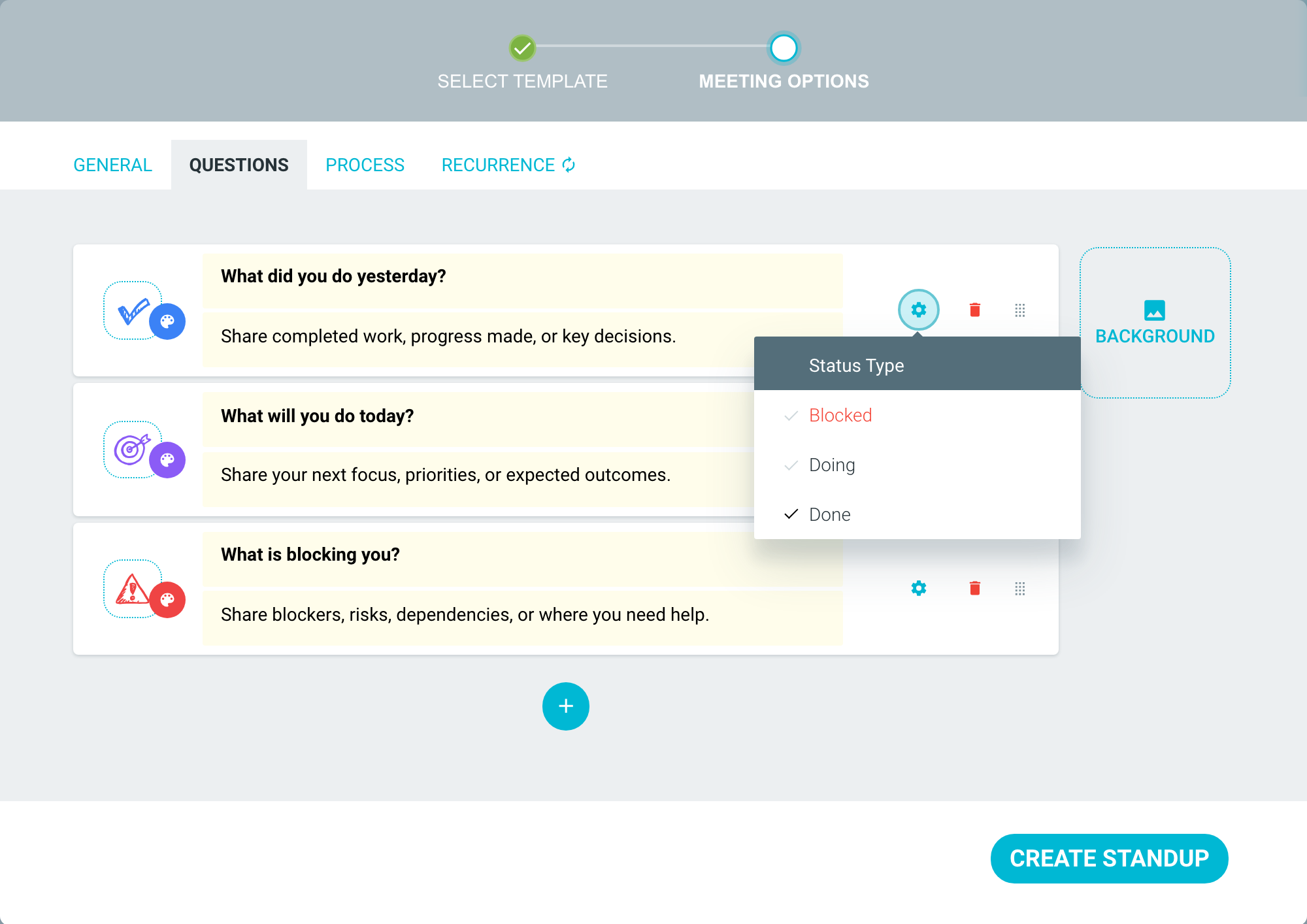
- Track status - Each question can have a status type: DOING, DONE or BLOCKED.
- Carry forward unfinished items - Unfinished items from your last standup appear at the top of your next update. You can mark each one done or carry it forward.
Standups are available on every plan. On your team's STANDUPS tab, click DEMO STANDUP to try a standup with a team of robots. Your demo data is not saved.

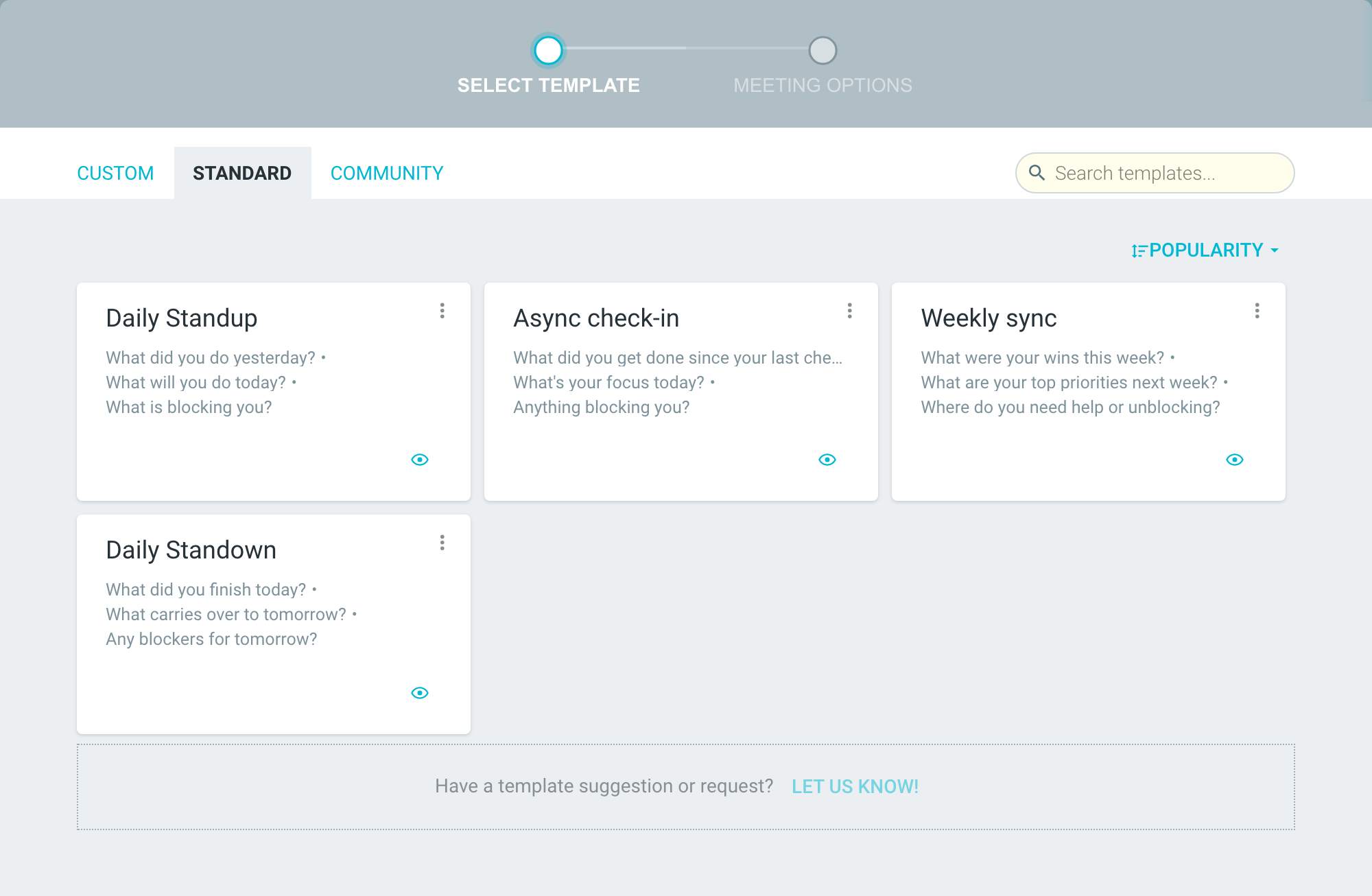
TeamRetro includes a number of ready-made standup templates. Choose the template that works best for your team. These include:
- Daily Standup
- Async check-in
- Weekly sync
You can also create your own team standup template.
Creating a standup series
By default, every team member can create a standup series. This is different from retrospectives, health checks and estimation meetings.
A Team Admin can change this in the team's SETTINGS —> ROLES & PERMISSIONS, under CREATE AND FACILITATE STANDUPS.
-
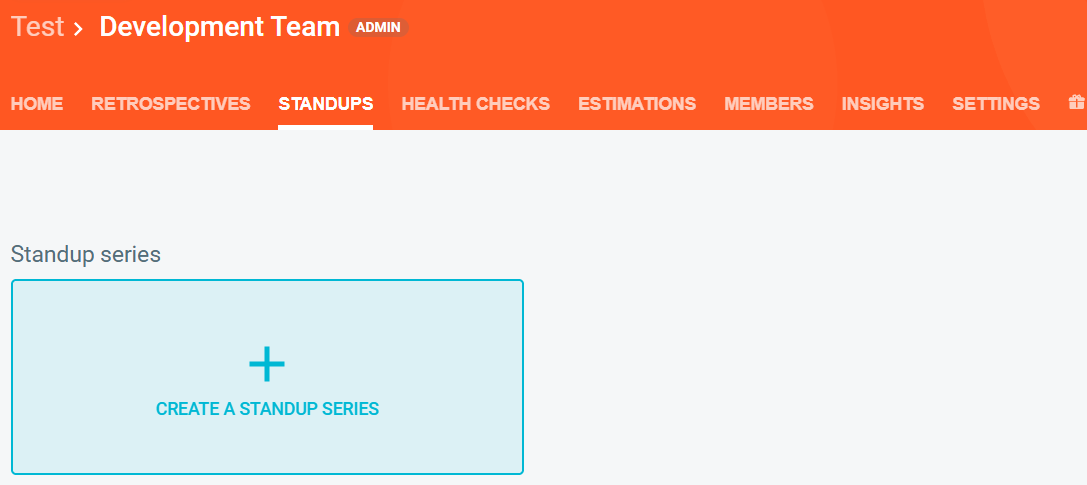
Navigate to your team's STANDUPS tab.

-
Click CREATE A STANDUP SERIES.
-
Choose a template from the STANDARD or COMMUNITY tab. Your team's own templates are on the CUSTOM tab.
-
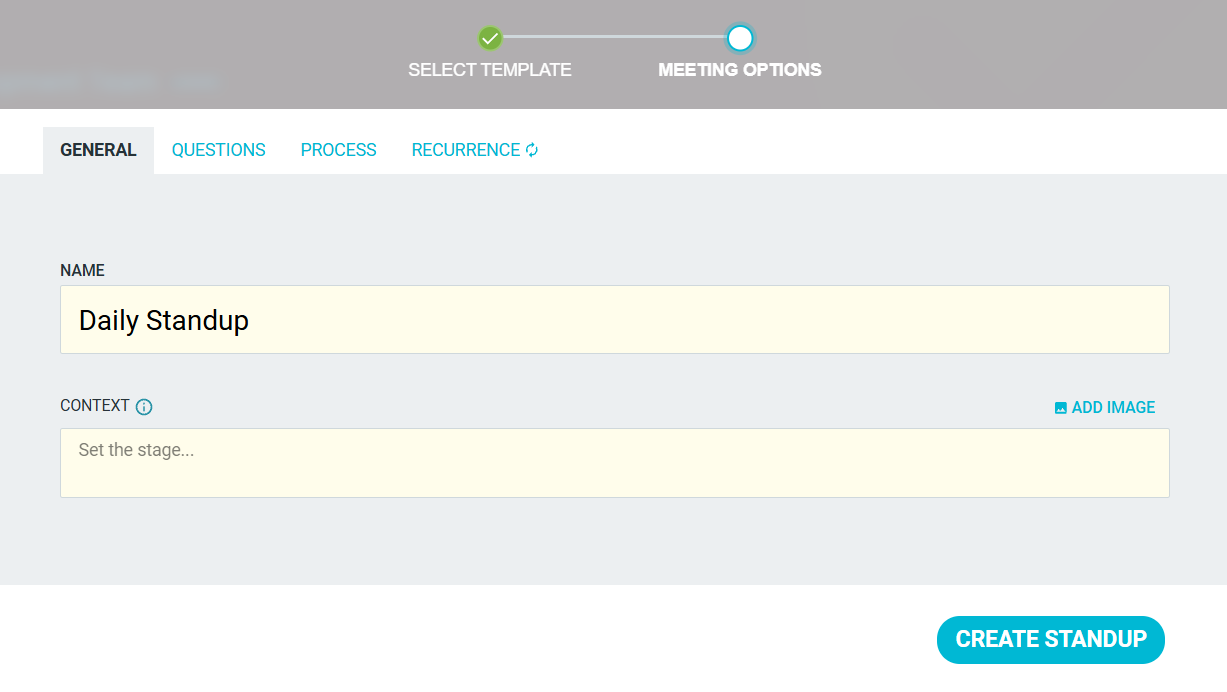
Set up your standup on the MEETING OPTIONS tabs:
-
GENERAL: the name of the series, and optional context
-
QUESTIONS: from 1 to 10 questions, each with an optional status type
-
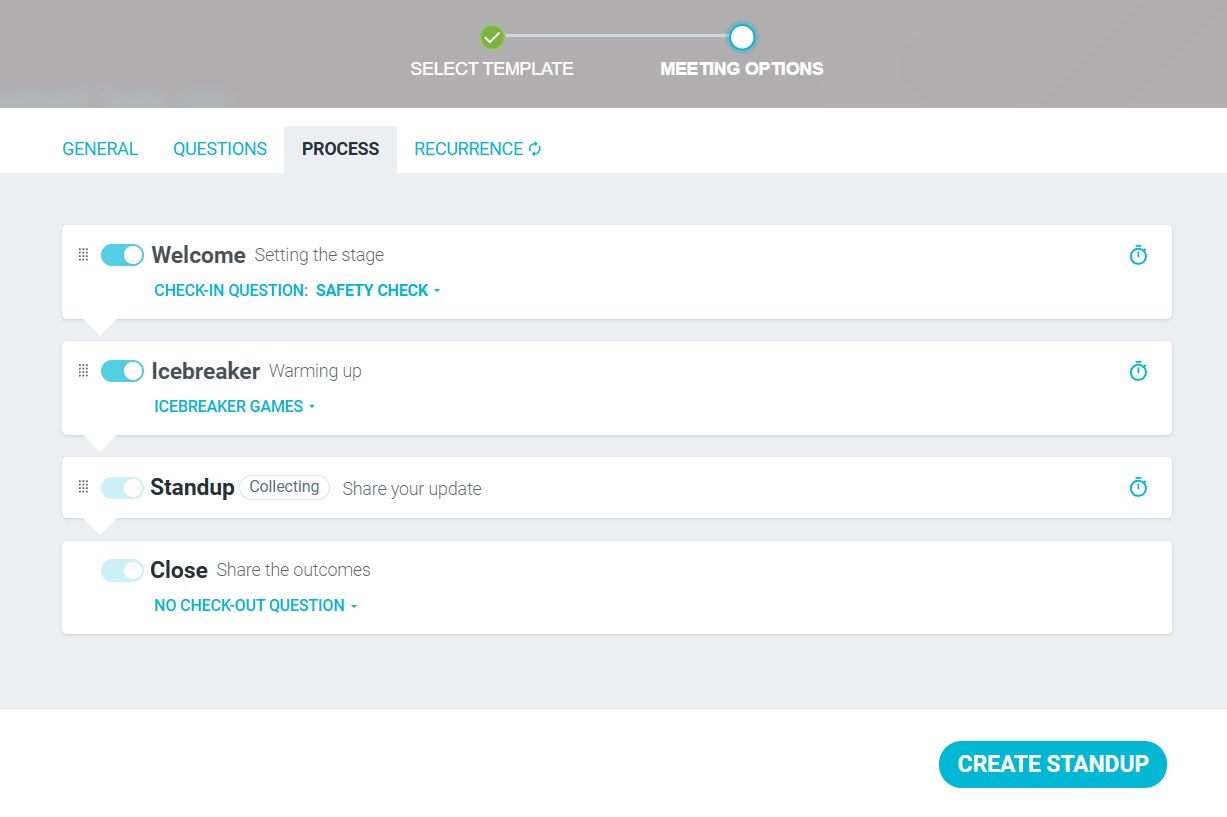
PROCESS: turn the WELCOME and ICEBREAKER steps on or off
-
RECURRENCE: how often the series repeats, and when invites, reminders and summaries go out.
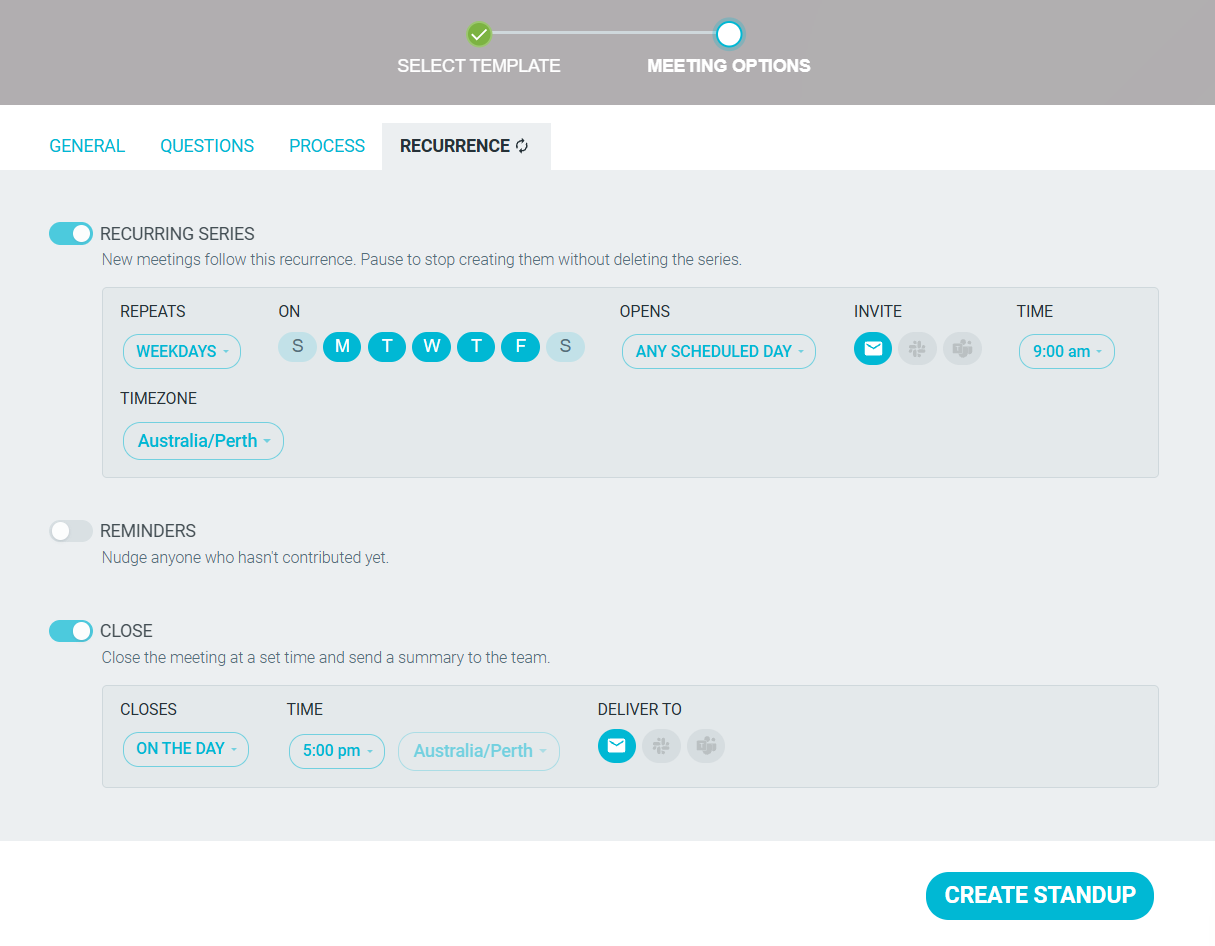
Only a Team Admin can see the RECURRENCE tab.
-
-
When ready, click CREATE STANDUP.

TeamRetro opens today's standup. If today is not a scheduled day, you return to the STANDUPS tab.
Running a standup meeting
Once set up, nobody needs to run a standup. By default, each standup opens straight on the STANDUP step, and people post in their own time.
If your team wants to meet live, click START FACILITATING. This syncronizes everyone's screen and allows you to move through each person's standup together. Learn more.

-
WELCOME (Optional)
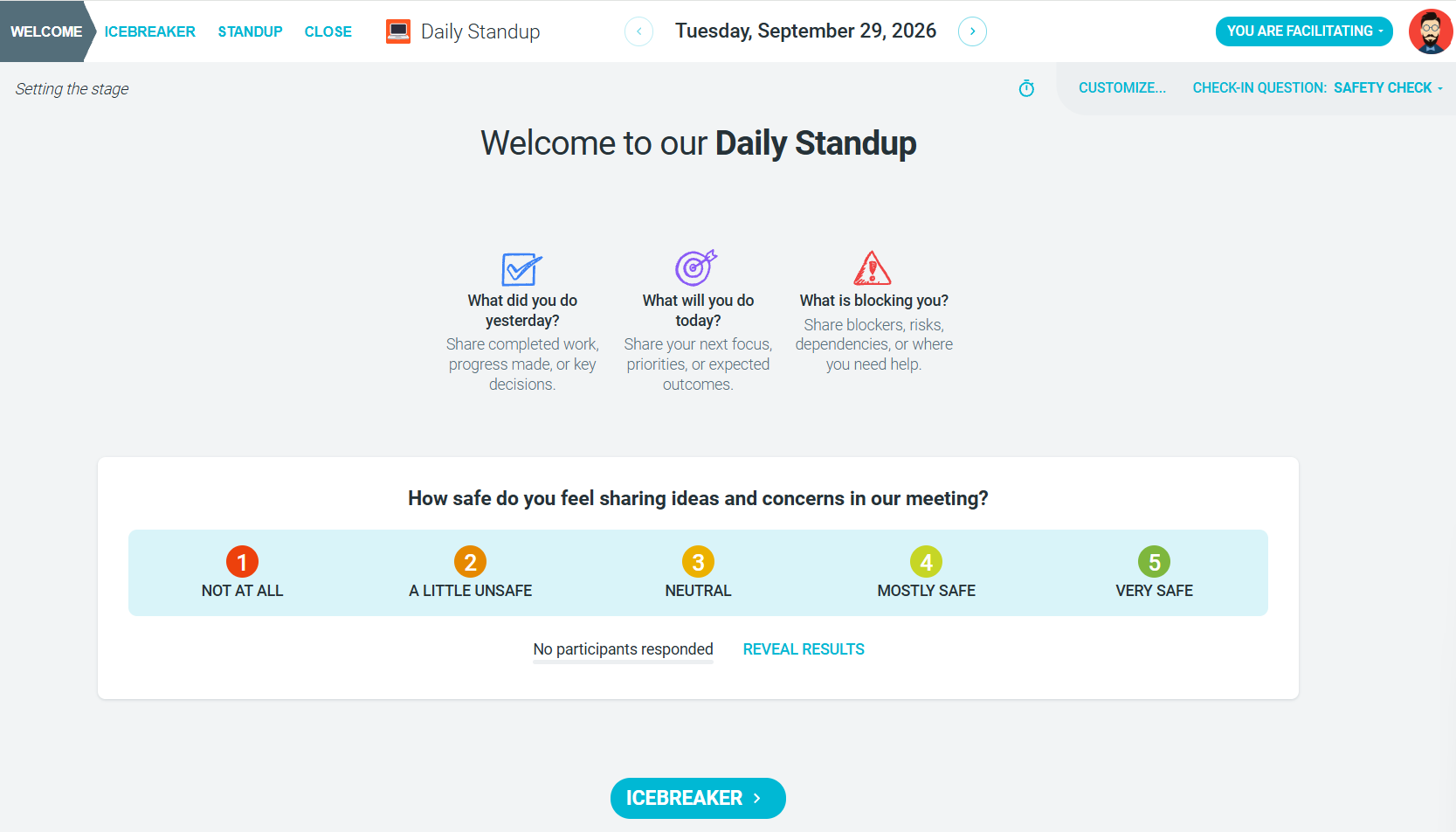
The facilitator shows a preview of the questions and any context you added. You can also include a CHECK-IN QUESTION. This step is off by default. Learn more.
-
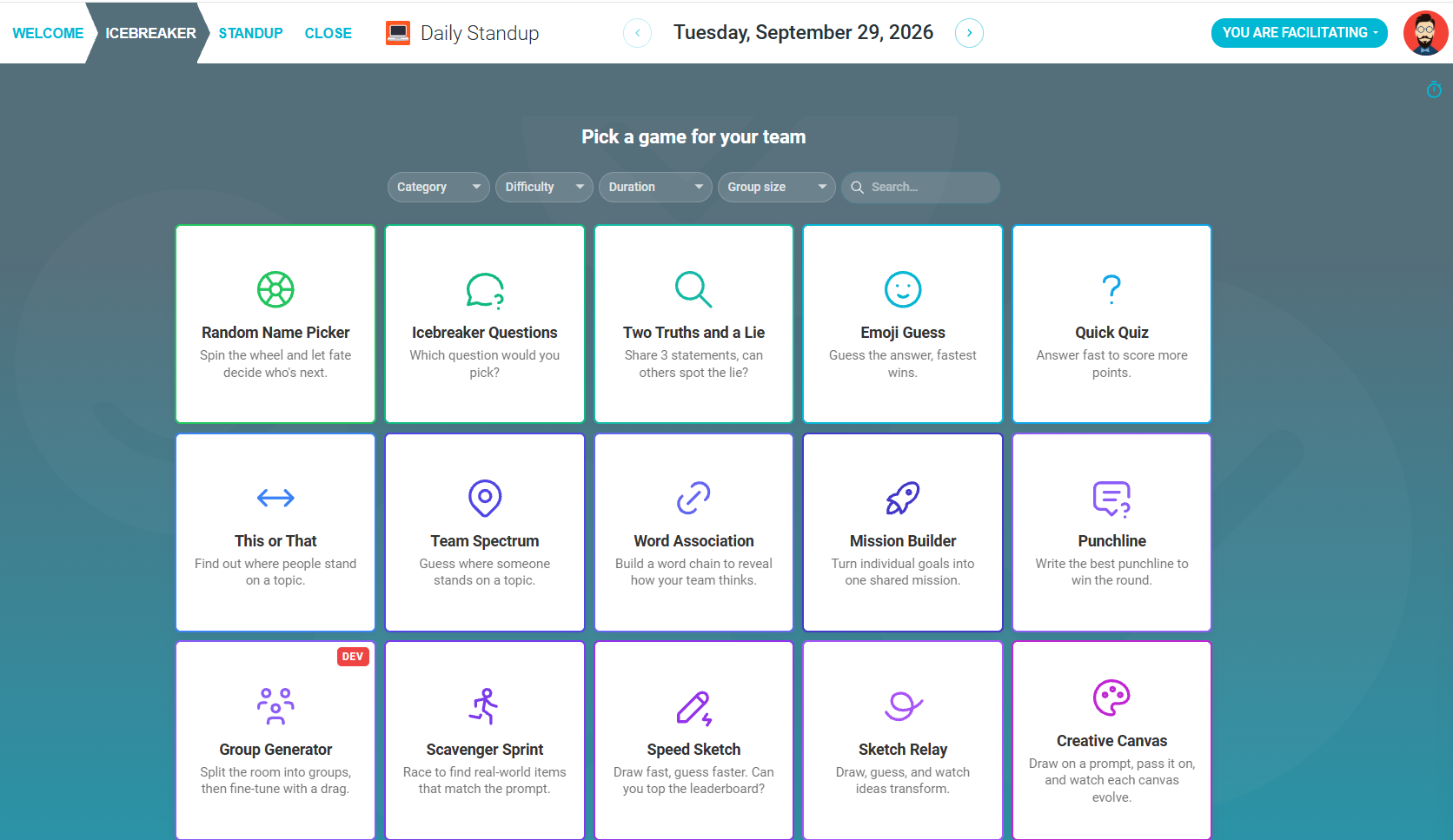
ICEBREAKER (Optional)
Warm up with an icebreaker game or question when your team meets live. This step is on by default. Learn more.
-
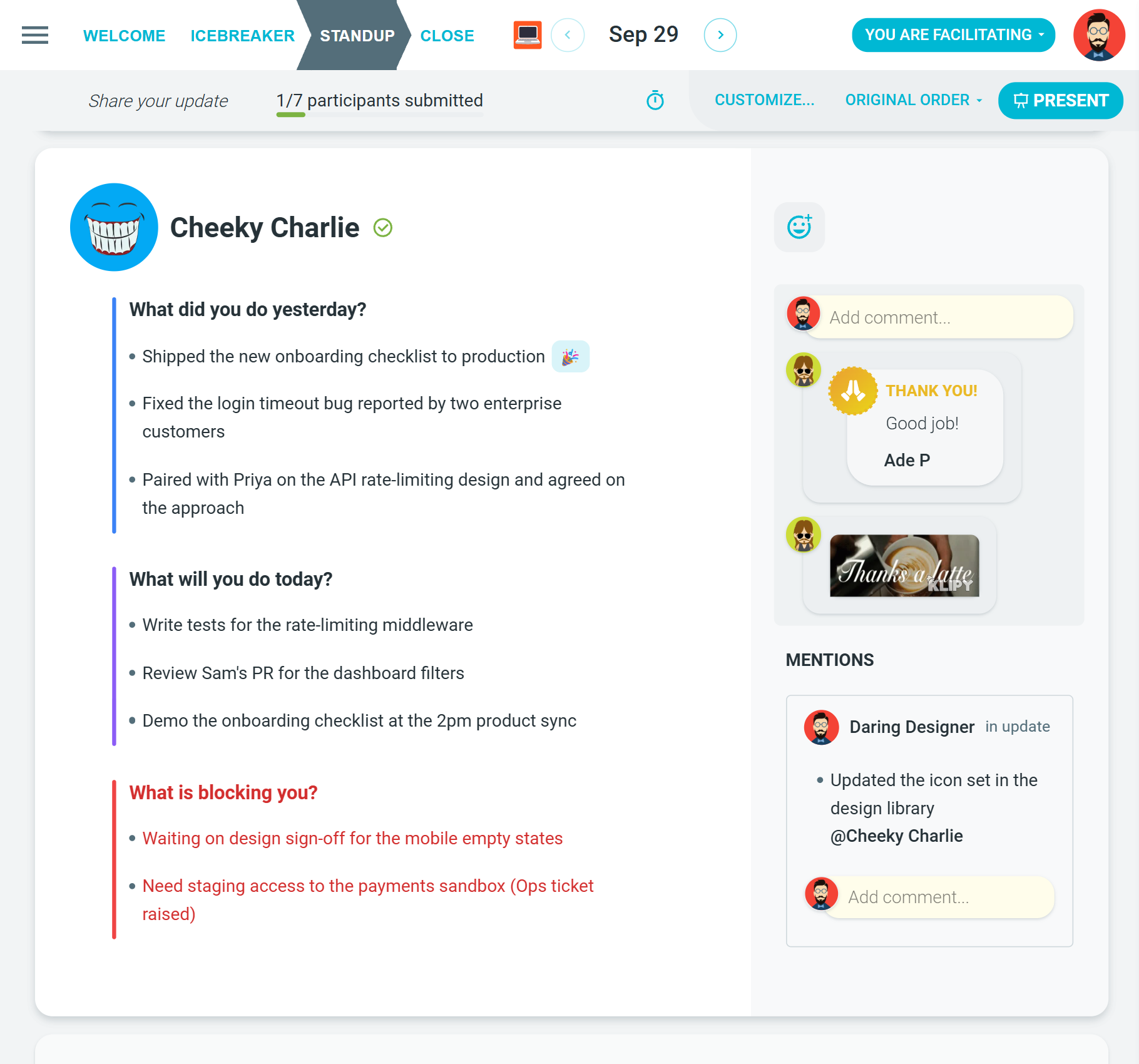
STANDUP
Each person answers the questions and clicks FINISH UPDATE. Teammates' updates appear as soon as they start. You can react, comment, @mention people and give kudos. Learn more.
-
CLOSE
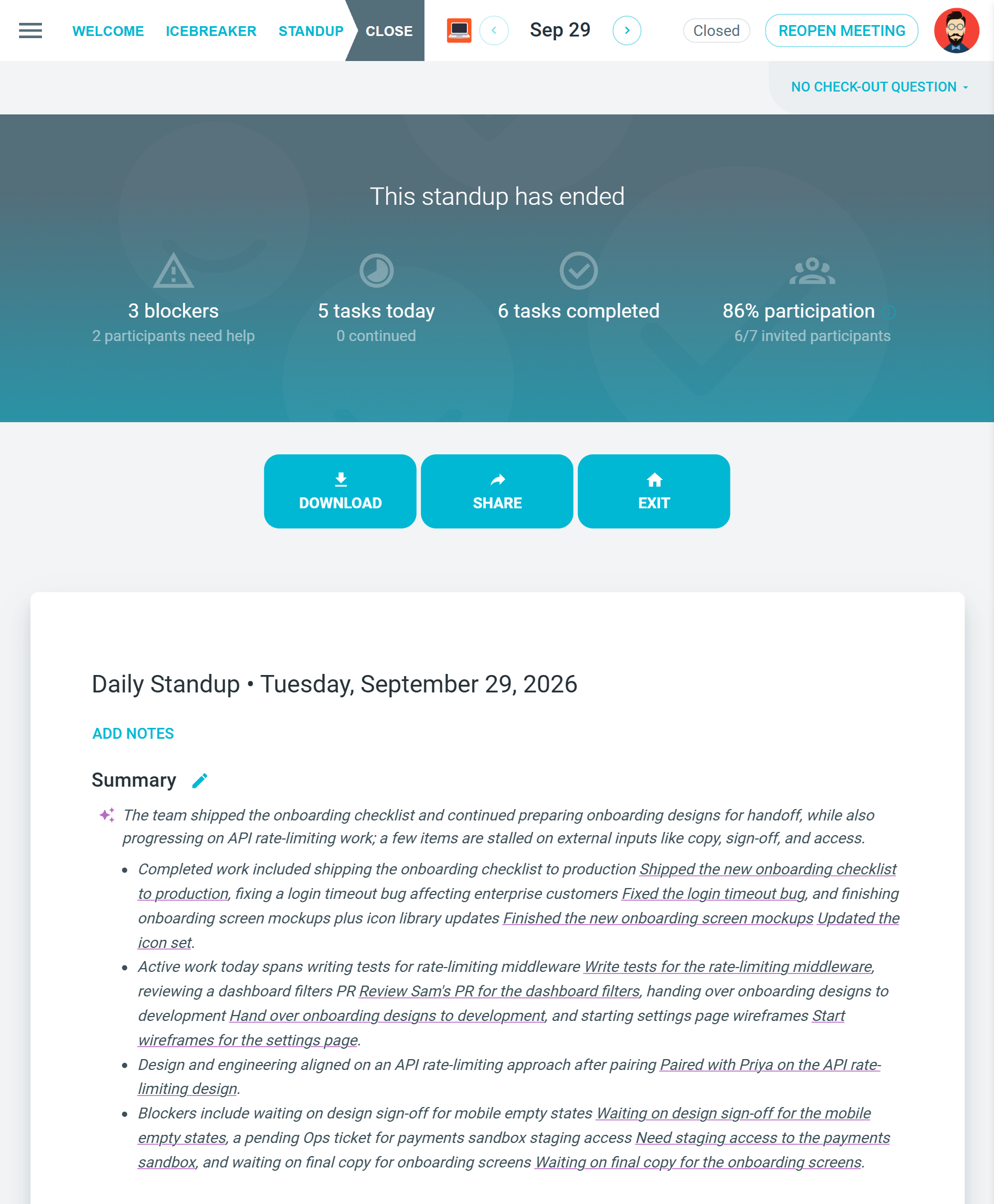
The standup closes at its close time or when the facilitator moves it to CLOSE. If the series has no close time, it closes when the next scheduled day begins. Everyone sees the day's statistics and the AI summary, and can DOWNLOAD the results. Learn more.