
Recurring standups
Only a Team Admin can see and change the RECURRENCE tab. If a team member creates a series, it uses the default settings shown below.
Every standup belongs to a standup series. The series creates a new standup on each scheduled day, and each standup closes by itself. A team can have more than one series, and a series has no end date.
Setting the recurrence
-
On your team's STANDUPS tab, click CREATE A STANDUP SERIES and pick a template. For an existing series, pick it in the series picker and click the SETTINGS icon (gear).

-
Open the RECURRENCE tab and make sure RECURRING SERIES is enabled.
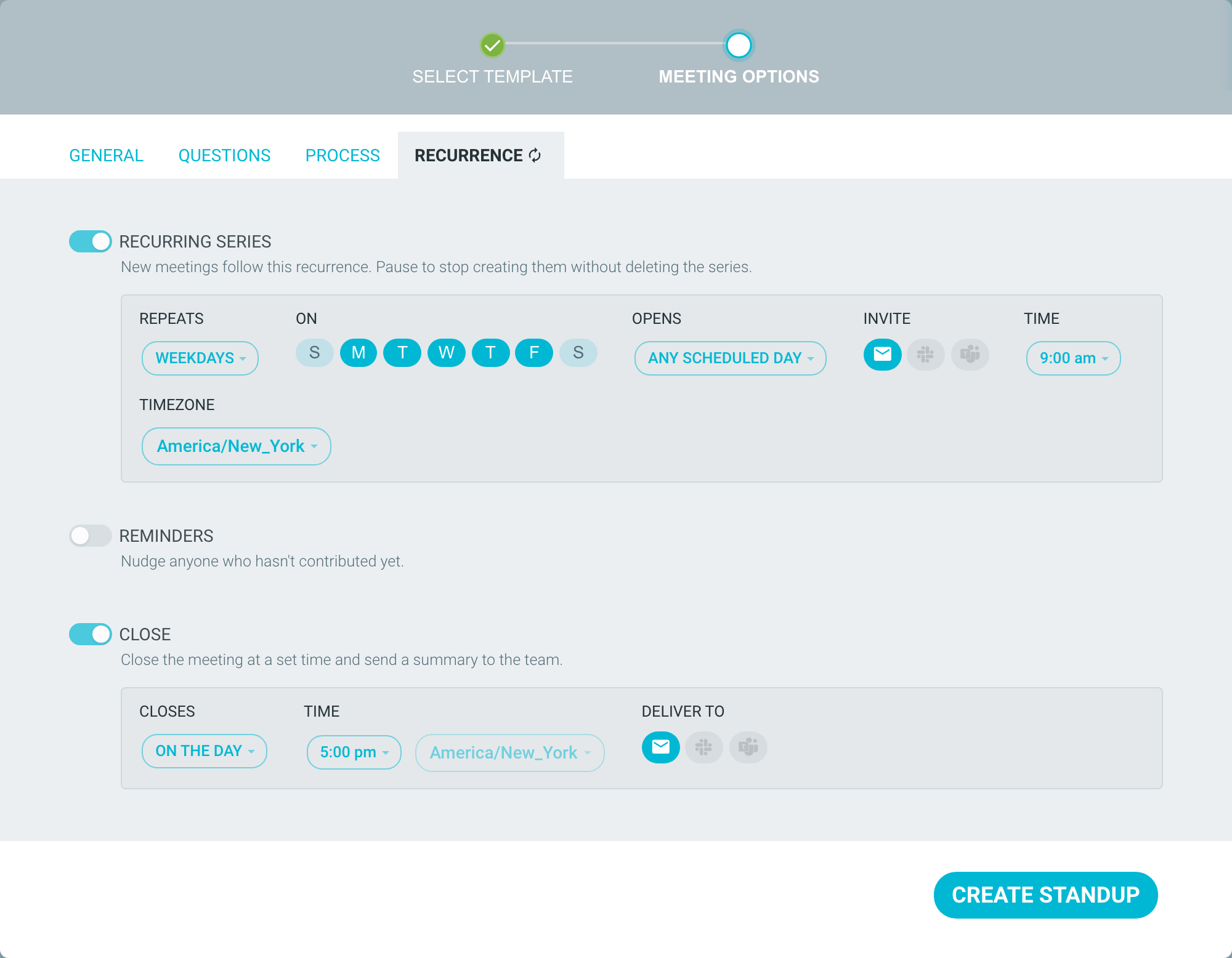
- Choose the desired frequency under the REPEATS dropdown. For WEEKDAYS or WEEKLY, pick which days you'd like the recurrence to take place under ON.
- Under OPENS, choose when people can start adding updates (see below).
- Choose the TIMEZONE for the series.
- Click CREATE STANDUP, or SAVE CHANGES for an existing series.
The INVITE, REMINDERS and CLOSE settings are on the same tab. See Standup invites, reminders and summaries.
Choosing when a standup opens
- ANY SCHEDULED DAY (default) - each standup opens on its own day, from midnight in the series timezone. People can also open a future day, up to 30 days ahead, and write their update early.
- ON THE DAY - each standup opens on its own day. People cannot write ahead.
- 1 DAY BEFORE, 2 DAYS BEFORE or 1 WEEK BEFORE - the standup opens that much earlier. Not available for DAILY.
- AFTER PREVIOUS CLOSES - the next standup opens when the previous one closes.
- WHEN THE MEETING STARTS - the standup opens on its first step and waits for a facilitator. If the WELCOME or ICEBREAKER step is on, nobody can post until someone clicks START FACILITATING and moves everyone to STANDUP. Reminders are not available. Only choose this if your team always meets live.
With any other option, nobody needs to start a standup. All team members are added, and they post in their own time. To write ahead, see The standup process - STANDUP.
Missed days and holidays
- If nobody posts on a scheduled day, that standup still closes, but no summary is sent.
- A past day with no standup cannot be created later.
- There is no holiday calendar. You cannot skip, delete or move a single day.
- WEEKDAYS already leaves out weekends. For a longer break, pause the series.
Pausing and restarting a series
-
On the STANDUPS tab, pick the series and click the SETTINGS icon (gear).

- On the RECURRENCE tab, switch off RECURRING SERIES.
-
Click SAVE CHANGES.
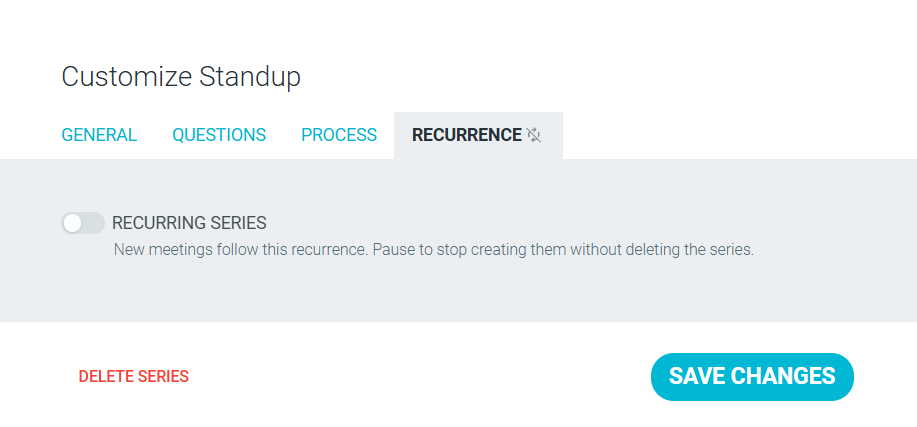
A paused series creates no new standups, and past standups stay readable.
A standup that is open when you pause the series stays open.
To close it, open the stand up meeting, click START FACILITATING and move everyone to CLOSE. The series shows PAUSED in the series picker. To restart, switch RECURRING SERIES back on.
When a standup closes
By default, each standup closes at 5:00 pm on the day, and a summary goes out. If you create a series after that day's close time, the first standup stays open until the next scheduled day. See Standup invites, reminders and summaries and The standup process - CLOSE.
Changing a series
A Team Admin can change a series at any time, from the SETTINGS icon on the STANDUPS tab. Recurrence and notifications always apply to the whole series. You cannot change them for one day.

To change the questions, see Customizing your standup.