
The estimation process - ESTIMATE
The ESTIMATE step is where the real sizing work happens. Using the items gathered in the PREPARE step, each estimation item is presented to the group one at a time. The group then discusses any questions or assumptions before voting on and determining an estimate that everyone can stand behind.
Use this step to:
- Discuss each item, focusing on details such as scope, limitations, and assumptions.
- Estimate privately and independently.
- Review the average score for each item. Decide whether to keep it, re-estimate, or override it with another agreed value.

The ESTIMATE step is enabled by default and cannot be disabled in an estimation meeting.
DISCUSS
-
The DISCUSS phase is an opportunity for the team to clarify the scope, key requirements, assumptions, limitations, and any dependencies or risks. This ensures potential oversights are surfaced early, so the team shares the same understanding before finalising an estimate. You can also add GIFs, POLLS, KUDOS, and WHITEBOARDS as comments to deep dive into each item.

ESTIMATE
- The ESTIMATE phase asks meeting participants to provide an estimate for each item, using the selected estimation deck. This way, all participants size the work on the same scale and you capture a complete set of perspectives. This is done privately at this phase.

If you would like to change the deck style, you can do so in the PREPARE step. For more information on deck styles, visit our Estimation Decks help article.
REVIEW
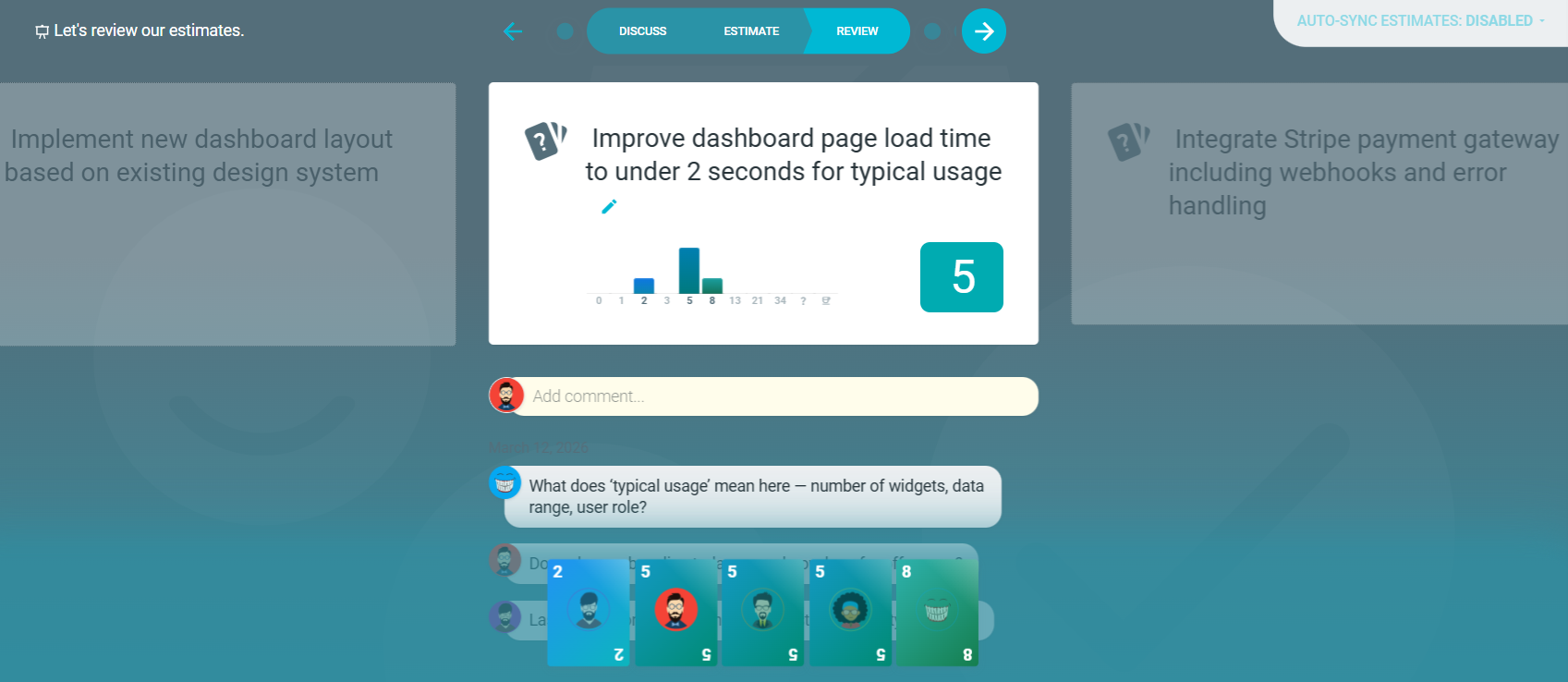
- The REVIEW phase reveals the calculated average score for an item. The team can then decide whether it accurately reflects your shared view. Decide whether to keep it, re-estimate, or override it with another agreed value.
For more information on overriding the calculated score, see How to override the calculated estimate with an agreed value.