
Introduction to maturity models
The maturity model health checks facilitate focused discussions about your Agile capabilities, tracking their evolution over time and providing insights into your team's current operational level.
They’re especially useful for choosing clear improvement goals (for example, strengthening planning habits, improving flow, or increasing collaboration) so you can steadily advance your Agile maturity goals.

In TeamRetro, you can run maturity models as a structured assessment (similar to a health check) in which participants rate the team across a set of dimensions under a set of categories.
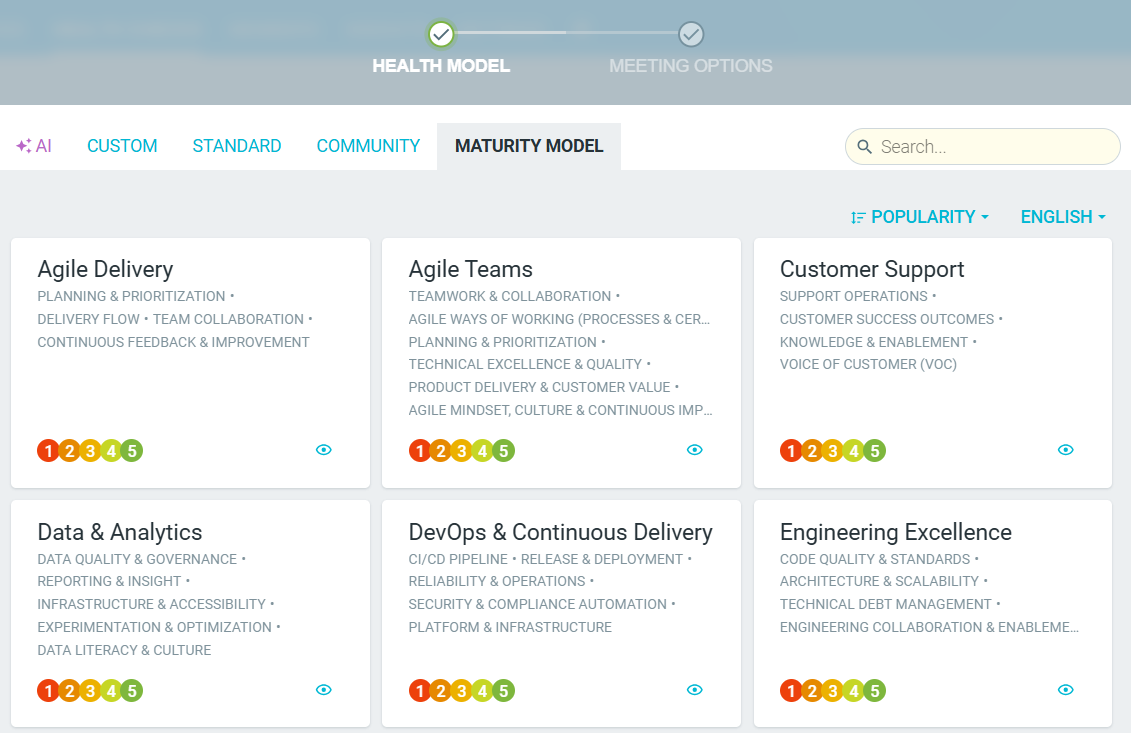
Out of the box, TeamRetro supports 14 pre-built models - and you can always build your own.
These include:
- Agile delivery
- Agile Teams
- Customer Support
- Data Analytics
- DevOps and Continuous delivery
Maturity model health check meeting
Creating a maturity model health check
-
Navigate to your team's HEALTH CHECKS tab.

-
Click START HEALTH CHECK.
-
Choose your preferred model from a list or pre-defined categories, create a CUSTOM one, or use AI to generate suggestions for you.
Running a Maturity Model Health Check
-
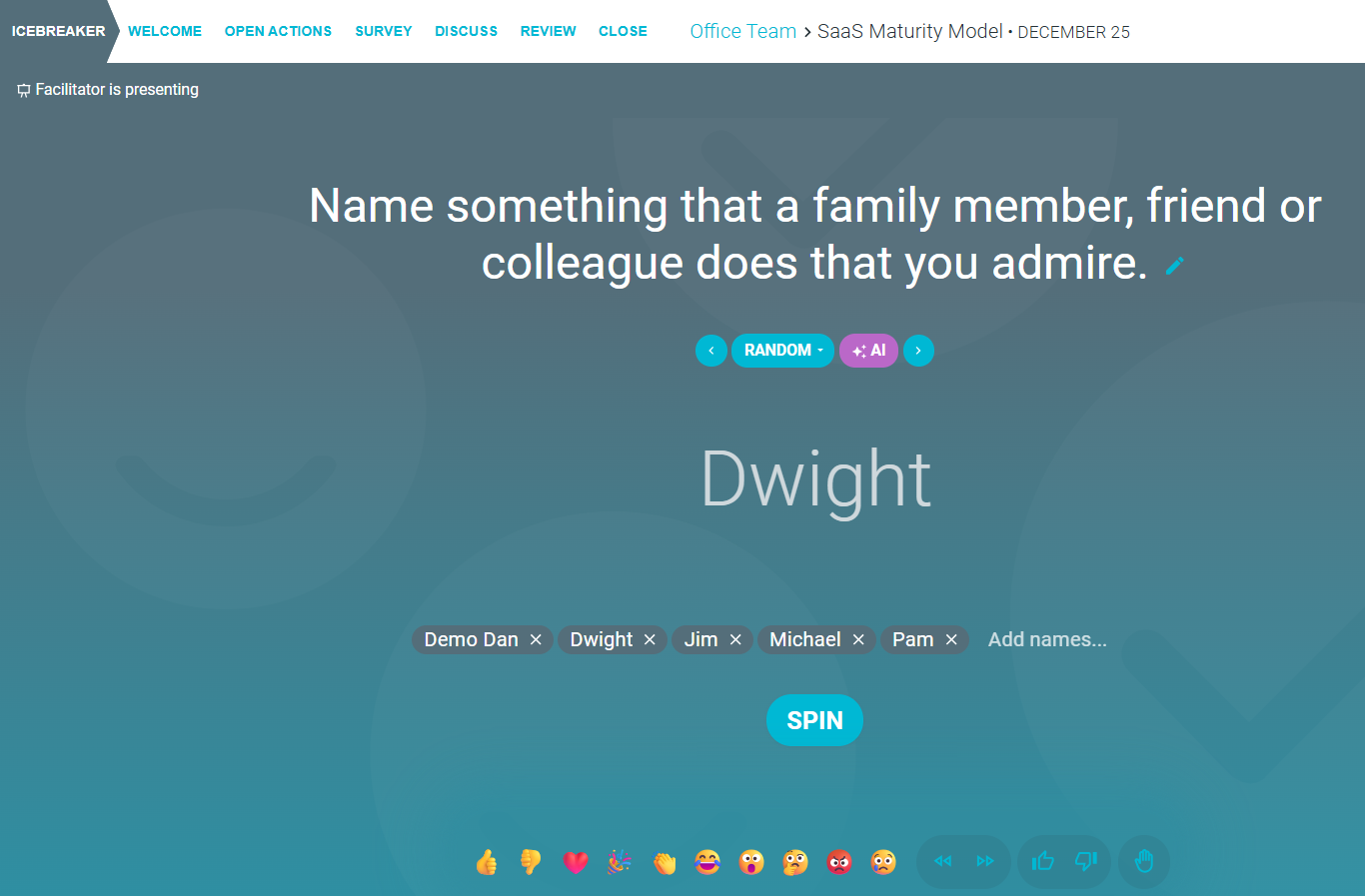
ICEBREAKER (Optional)
Start by setting the tone with an icebreaker question. This encourages early participation and helps everyone get comfortable before diving into the main activities. A fun prompt can boost engagement and create a psychologically safe environment.
-
WELCOME (Optional)
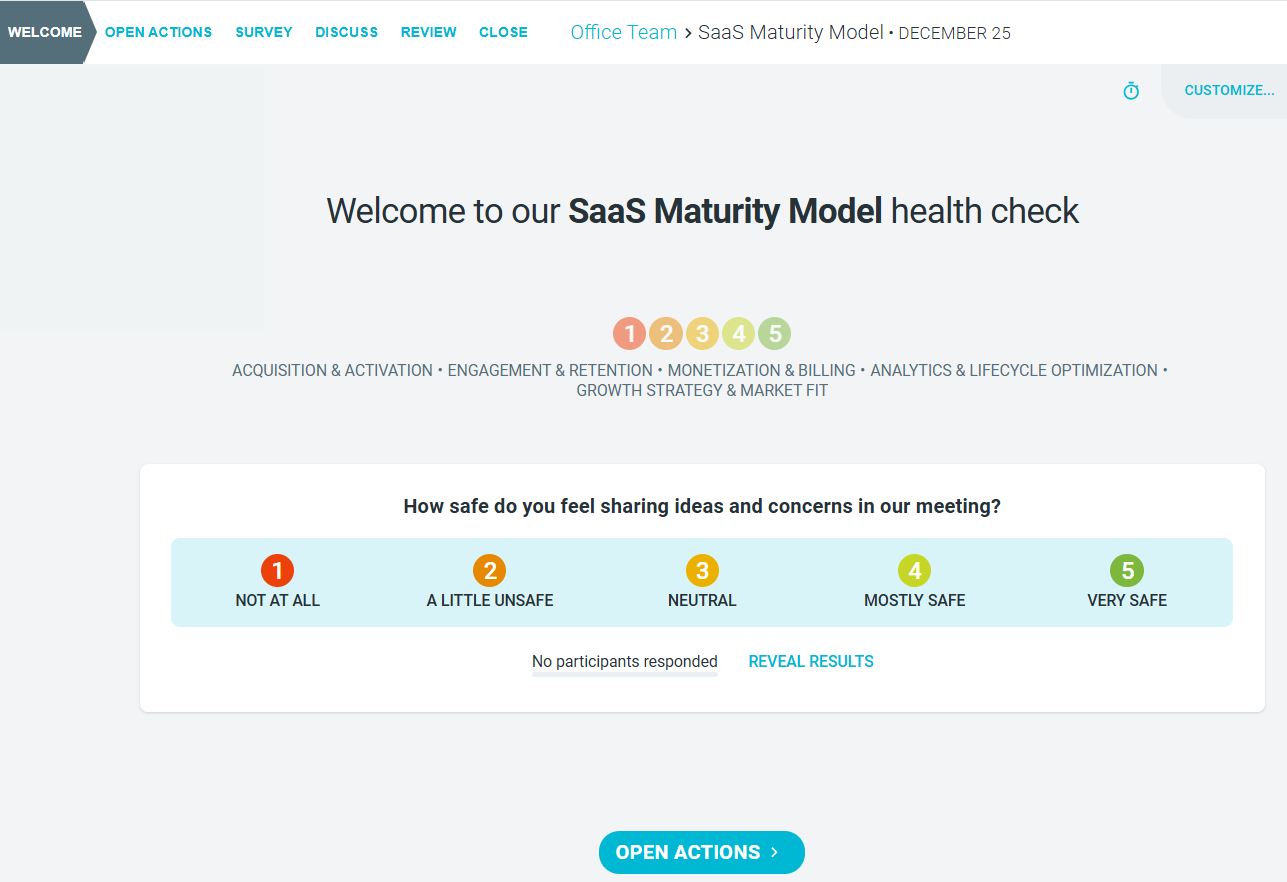
In this step, the facilitator introduces the purpose of the Maturity Model. A short welcome message can help align expectations and explain the meeting flow. Participants will also see a preview of the survey and any important notes or images you choose to share. The facilitator can also include a CHECK IN QUESTION to better gauge participant mood.
-
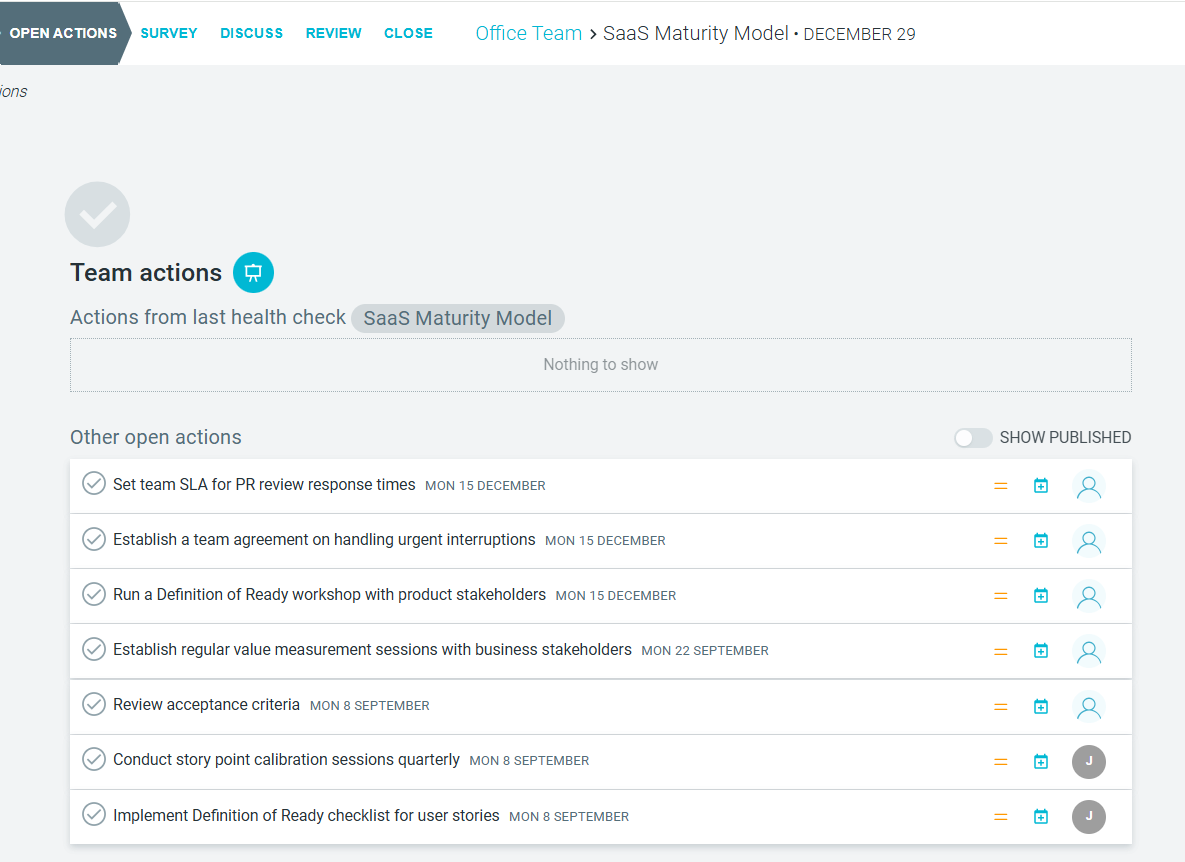
OPEN ACTIONS (Optional)
Before collecting new feedback, take a moment to review open action items from previous meetings. This is a great way to keep the team accountable, celebrate wins, and clear any blockers. Use PRESENT mode to walk through actions and update their status together.
-
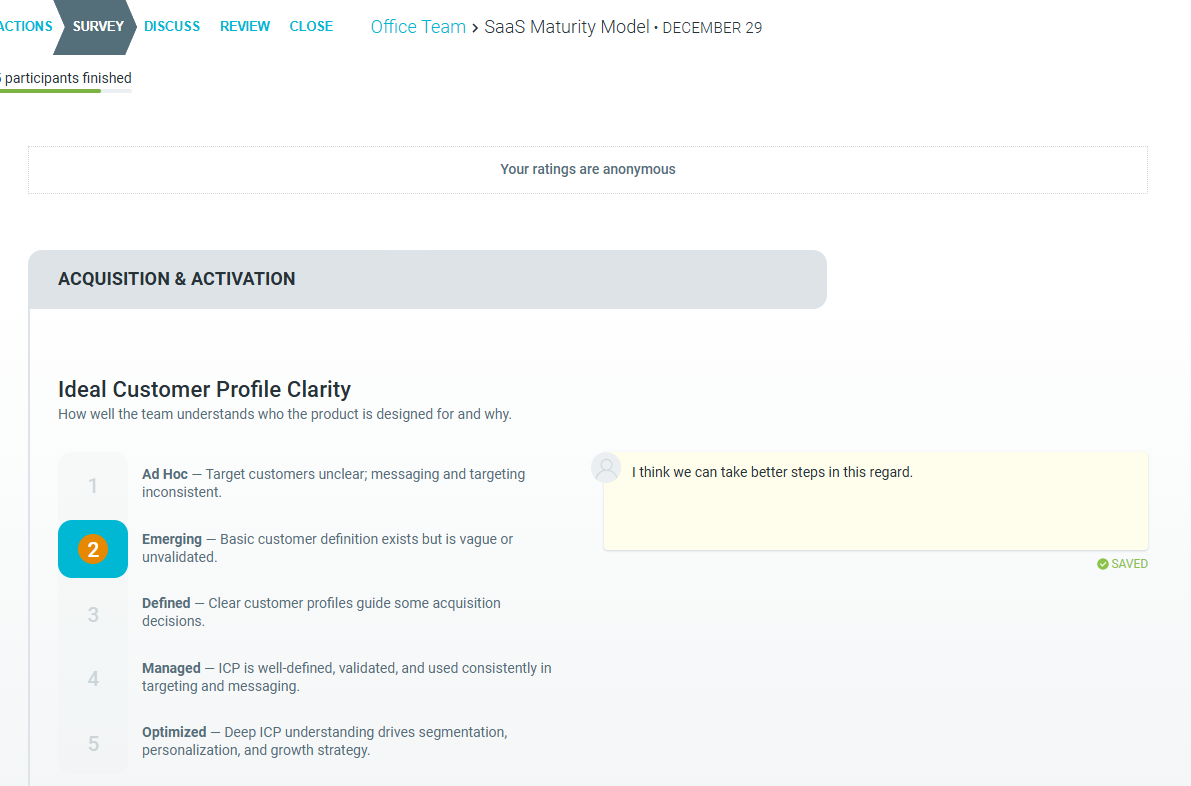
SURVEY
Each team member anonymously rates their perception of the team's performance across each dimension under each category. Learn more
-
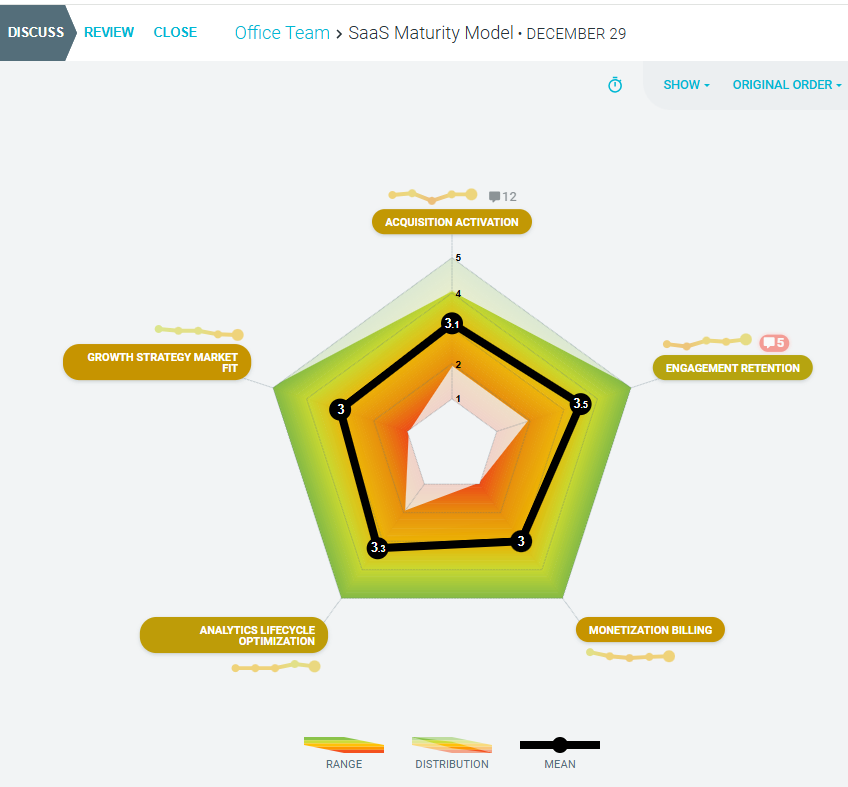
DISCUSS
Discuss the results of the survey. If this maturity model health check has been used in the past, the trend (getting better, getting worse) will also be displayed.
-
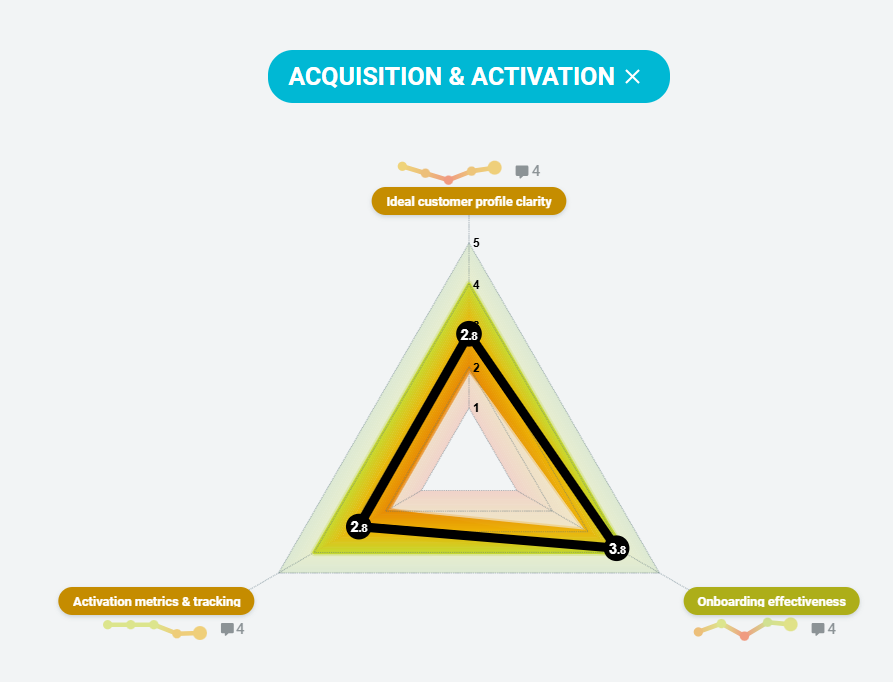
You can drill down into each category to see the results for the individual dimensions. Trendlines will also be shown if there is previous data.
-
You can get AI summaries of comments for each dimension to get a picture of what everyone has said.
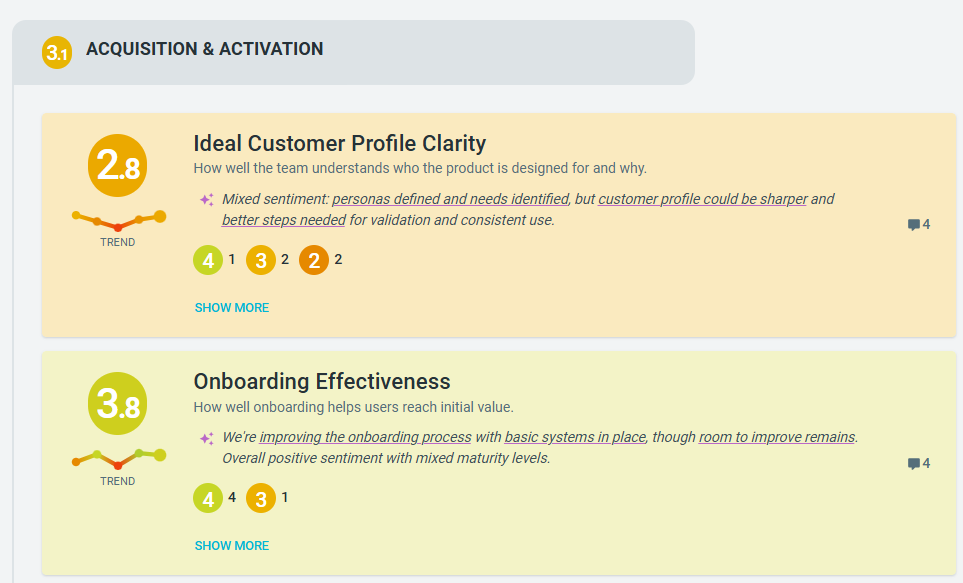
- Facilitators can PRESENT, which will sync each person's screen and discuss the results. Team members can add comments, ideas or action items.

-
Additionally, you can utilize AI to SUGGEST ACTIONS for you based on the results and comments. Learn more

-
REVIEW
The team reviews the actions identified during the meeting and, optionally, assigns owners and due dates to ensure accountability. This is an opportunity to review actions from previous retrospectives or health checks and update their status. Learn more

- CLOSE
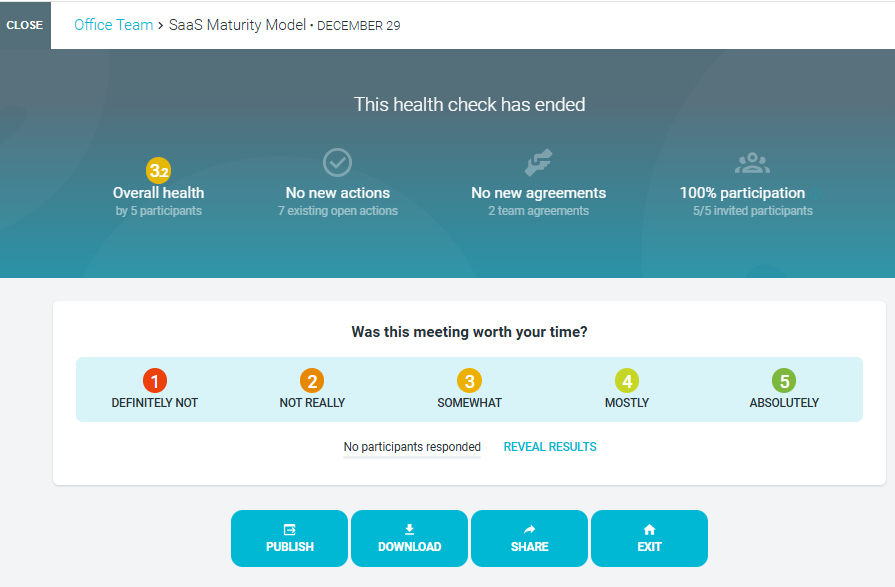
- Close the meeting by running an optional check out question and reviewing the key metrics of the meeting.
- If you have integrated your workflow apps such as Jira or Confluence, you can PUBLISH a meeting summary or key action items.
-
You can also DOWNLOAD the results, which you can SHARE with the team, in PDF, MD, CSV or EXCEL format. Learn more.
Tracking your results
Your team's HEALTH CHECKS page displays an overview of scores across different dimensions and a health radar based on the selected model, offering an ongoing view of team health over time.

