
The retrospective process - REVIEW
Reviewing the team’s action plan is a great way to wrap up your retrospective and allows everyone to review:
- ACTION ITEMS - from the current and previous retrospectives.
- COMMENTS - made by participants.
- TEAM AGREEMENTS - accepted team agreements from current and previous meetings.
- PARKING LOT - items yet to be discussed.
Reviewing action items
- You can review both current and previous action times.
- You can accept or reject any outstanding proposed action items.
- You can mark off completed items or add new action items.
- If you haven't already done so, you can assign priority, owners, and due dates to each item.
-
GROUP BY IDEA if you wish to see the idea(s) the action item originated from, for extra context.
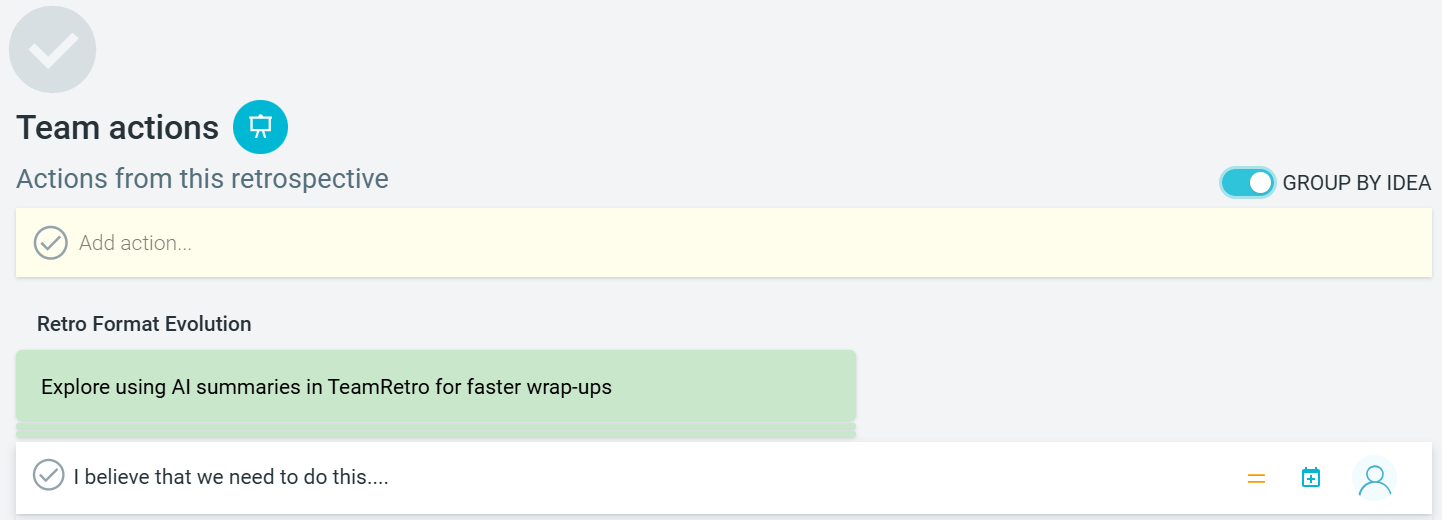


-
Enable SHOW PUBLISHED if you have integrated with other workflow tools and have published action items there.

- The Facilitator can choose who can add actions by selecting either FACILITATORS CAN ADD ACTIONS, EVERYONE CAN ADD ACTIONS, OR EVERYONE CAN PROPOSE ACTIONS.

Reviewing Team Agreements
- Review and reflect on team agreements to determine if the team remains satisfied with them and feels they are upholding these commitments.
- Add new team agreements.

Reviewing Parked Items
- If you had any parked items during the meeting, it may be a good time to review them now.
- You can COPY TO CLIPBOARD, CONVERT TO ACTION, CONVERT TO AGREEMENT, or UNPARK the item. Unparking the item returns it to its original meeting position.
- You can delete parked items if they were added via the side panel.

- At any time, use PRESENT mode on any section to synchronize everybody's screen. This will ensure all participants are on the same page...literally!

- Once the REVIEW has been completed, it’s time to CLOSE the retrospective.