
Deleting a custom maturity model
You can delete a custom maturity model created for your team or entire organization. To do this, you’ll need to be a Team Admin or an Account Owner.
- Team-level models can be deleted by a Team Admin or Account Owner.
- Account-level models can only be deleted by the Account Owner.
Once deleted, a custom maturity model cannot be recovered. Deleting a maturity model that has been used in past meetings may affect historical data or reporting. Ensure it is no longer needed before deletion.
To delete a team-level custom maturity model
- Navigate to the Team HOME Page.
-
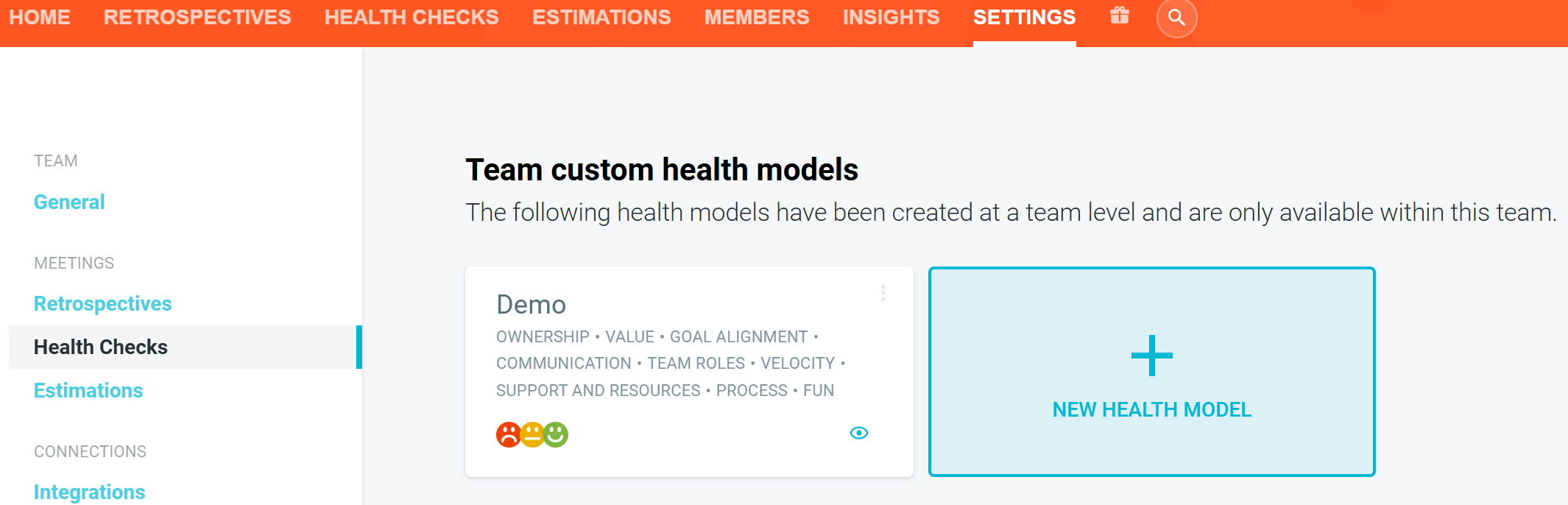
Go to SETTINGS —> HEALTH CHECKS. Find the maturity model you would like to delete.
-
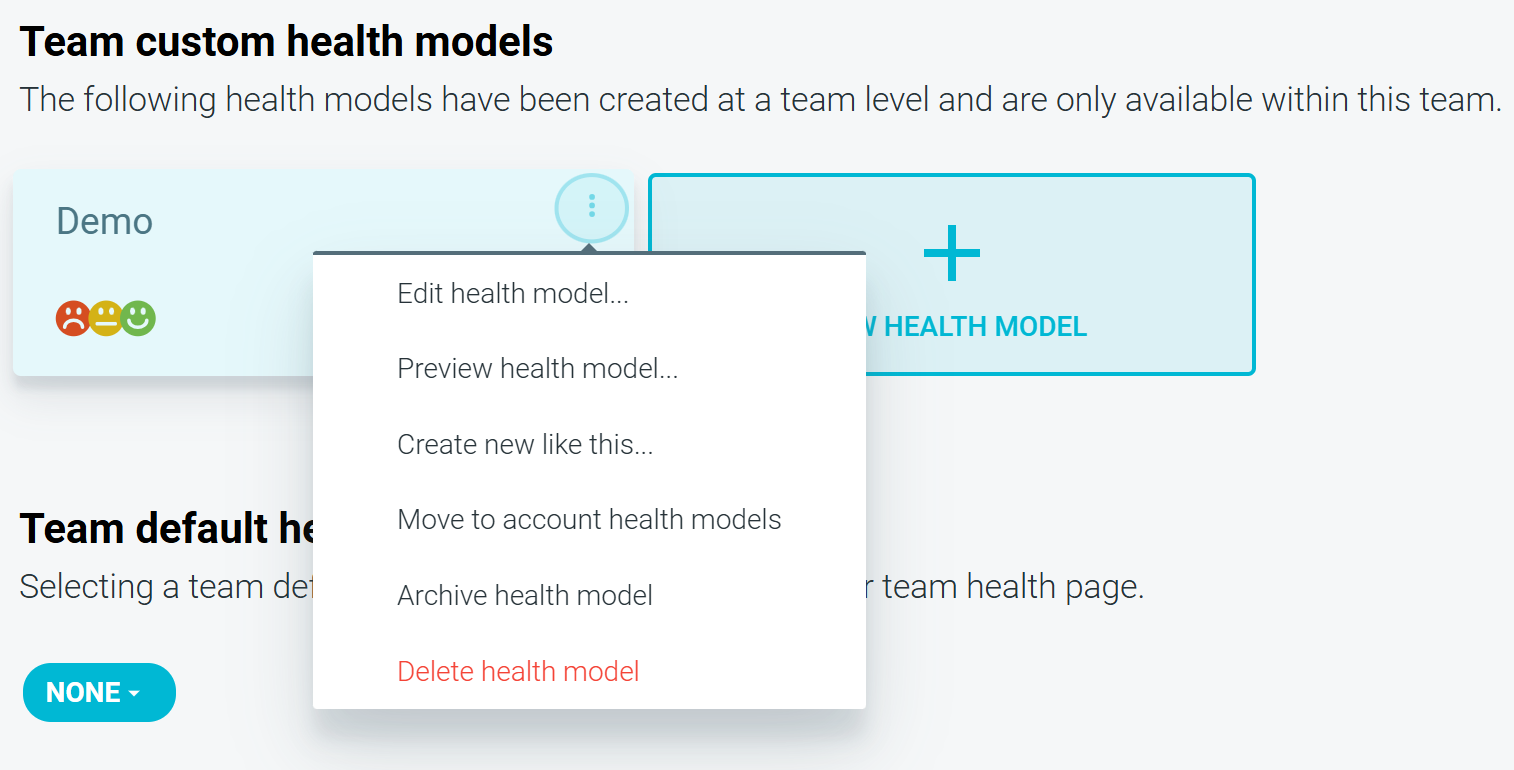
Click the OPTIONS icon (three vertical dots). Select DELETE HEALTH MODEL.
-
Confirm the deletion when prompted.

To delete an account-wide custom maturity model
- Navigate to the account HOME page.
-
Go to SETTINGS > HEALTH CHECKS.
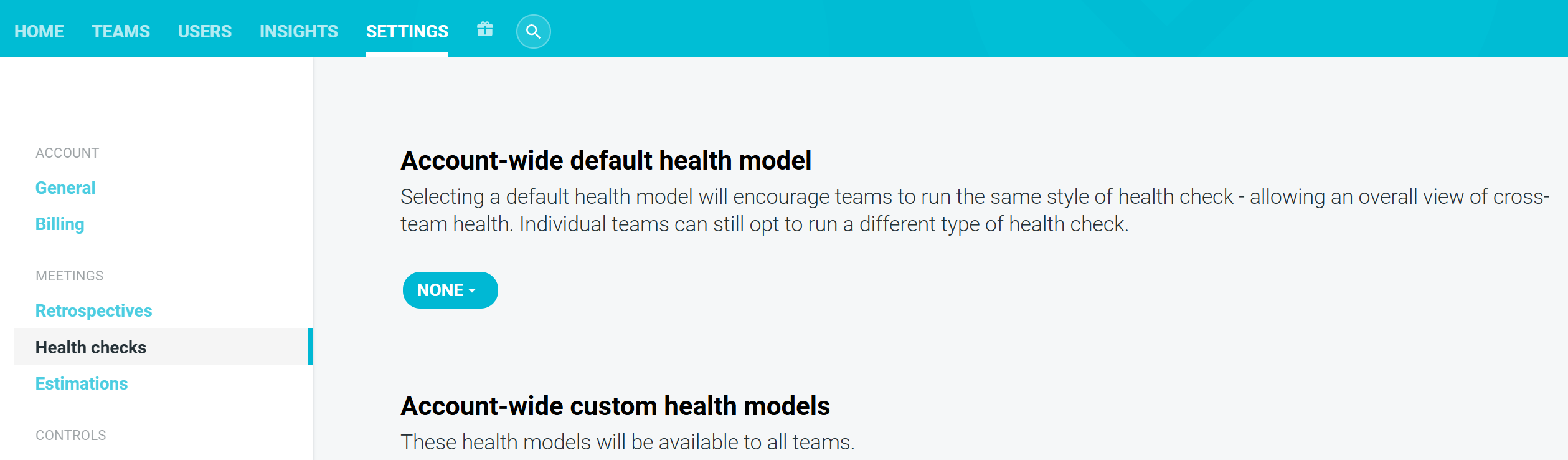
- Scroll to the Account-wide custom health models section. Locate the model you want to delete.
-
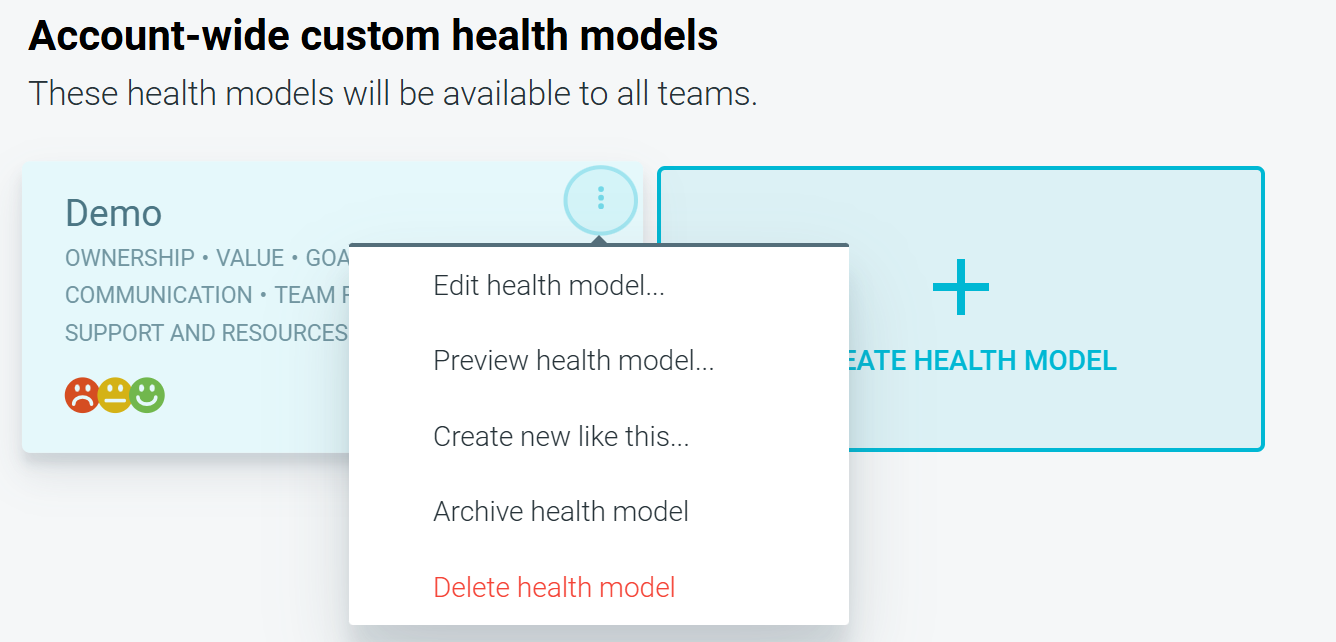
Click the OPTIONS icon (three vertical dots). Select DELETE HEALTH MODEL.
-
Confirm the deletion when prompted.

