
Custom estimation decks
Custom estimation decks let you build your own card decks for estimation meetings, rather than choosing from the standard decks. You can create them for your team or your entire account.

- Team-Level Deck - Visible only to the specific team where it’s created. You can also set it as the default deck for the team.
- Account-Level Deck - Available to all teams across the organization. You can also set it as the default deck for all teams.
To create a team deck, you must be a Team Admin. To create an account-wide deck, you must be an Account Owner or Account Administrator.
Note: If you change a custom deck while it is being used in an active estimation meeting, your historical results may be impacted.
To create a team-level custom deck
- Navigate to the TEAM HOME page.
- Go to SETTINGS, ESTIMATIONS then NEW CUSTOM DECK.
-
Go to Customizing your deck.
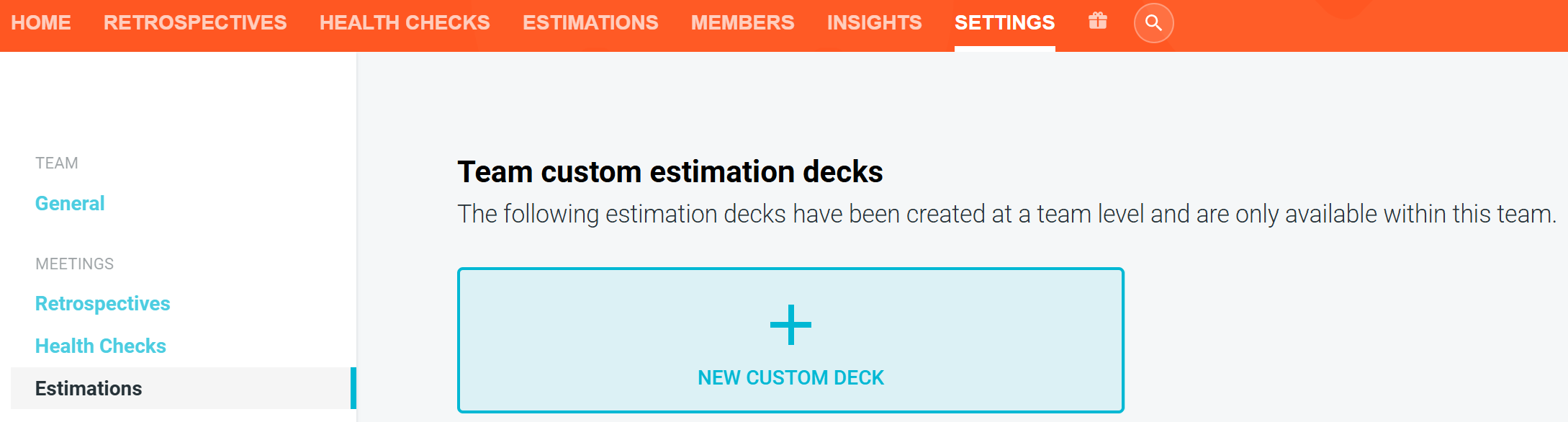
To create an organization-wide custom deck
- Navigate to your account HOME page. (Make sure this is at the organization level, not the team home page.)
- Go to SETTINGS, click ESTIMATIONS then NEW CUSTOM DECK.
- Go to Customizing your deck.
Customizing your deck
You can start from a blank deck or copy any standard deck as a starting point.

For each deck you can customize:
- Colors — choose the appearance of each card.
- Labels — set the value shown on each card. Labels can be up to 8 characters and may include words or emojis. Images are not currently supported.
- Description — add supporting text to help explain the purpose or use of the card.
- Order — drag cards to arrange them however you like.
You can add or remove cards as needed, up to a maximum of 15 cards per deck.

Special cards
Unsure and Need a break cards can be enabled from the toggle options at the bottom of the customization menu.
When enabled, these special cards sit directly in the card list alongside your value cards. You can drag them to any position in the deck.
These cards do not contribute to the histogram or results tally.

Live previews
As you build, a live preview shows you exactly what your team will see in the deck picker, the settings pages, and the editor itself.

Setting a default deck
New estimation meetings start with the default deck. Facilitators can still choose a different deck when they start a meeting.
- Go to your team’s or account’s HOME page —> SETTINGS —> ESTIMATIONS.
- Choose a custom or standard deck under Team default estimation deck or Account-wide default estimation deck.
An account-wide default deck applies to all teams. While one is set, the team default deck setting is hidden.
Managing or updating your custom deck
Note: If you change a custom deck while it is being used in an active estimation meeting, your historical results may be impacted.
- Go to your team’s or account’s HOME page —> SETTINGS —> ESTIMATIONS.
- Find the deck you’d like to edit. Click the OPTIONS menu (three dots) on the top right.
- You can PREVIEW, EDIT, CREATE NEW LIKE THIS (duplicate), or DELETE your decks.
Making team decks available organization wide
Only Account Owners and Account Administrators can move team-level decks to the organizational level. This cannot be undone.
- To upgrade your team deck, select MOVE TO ACCOUNT DECKS from the OPTIONS menu under SETTINGS —> ESTIMATIONS on the team level.